- Published on
Bridging into Apple HomeKit with Homebridge Plugins
- Authors
- Name
- Rob@BitWise
- @BitWise_0x


The HomeKit ecosystem is more closed than it appears. Apple's Made for HomeKit certification program is the official path for hardware vendors, but it is a slow, proprietary process that leaves the vast majority of smart home devices permanently outside Apple Home. SmartRent, which provides the smart home infrastructure for a large share of managed residential properties (locks, thermostats, leak sensors, motion sensors), has no HomeKit support. Amazon Blink, a widely deployed battery-powered camera system, is in the same position. Both platforms have capable APIs. Neither has any path into HomeKit.
Homebridge is the community's answer to this problem. It is a lightweight Node.js bridge that implements the HomeKit Accessory Protocol (HAP) and exposes a plugin system that lets anyone map a third-party API to native HomeKit accessories. I have been using it for years, and when I decided to build proper HomeKit integrations for SmartRent and Blink, writing the plugins myself was the natural approach. This post is a walkthrough of both: homebridge-smartrent and homebridge-blink-security. It covers what each platform required, where the implementations diverged, and what carried across both.
Homebridge
Homebridge is a Node.js process that implements the HomeKit Accessory Protocol (HAP) via the HAP-nodejs library. From Apple Home's perspective, it appears as a single HomeKit bridge, and everything registered through it surfaces as native HomeKit accessories. Siri, automations, and the Home app all work against these accessories as if they were first-party hardware.
The plugin system is what makes this composable. Each plugin receives a reference to the Homebridge API, which exposes HAP-nodejs directly. Plugins declare services and characteristics (the building blocks of the HomeKit data model), and Homebridge handles the pairing, encryption, and communication with Apple's ecosystem. A plugin author's job is narrower: discover devices, map their state to HAP services, and respond correctly when HomeKit reads or writes a characteristic.
There are two plugin types. An accessory plugin exposes a single fixed accessory. A platform plugin can expose any number of accessories dynamically, adding or removing them as the underlying platform changes. Both of my plugins are platform plugins, for the obvious reason that both SmartRent and Blink involve multiple devices per account that can be discovered from an API.
The platform plugin lifecycle is straightforward in concept: on startup, call the third-party API to enumerate devices, create a Homebridge PlatformAccessory for each one, register the appropriate HAP services and characteristics, and set up whatever mechanism (polling, WebSocket, or both) keeps the characteristic values current. The complexity lives in the details of each platform's API and in the sometimes exacting requirements of the HAP specification itself.
The Blink Plugin
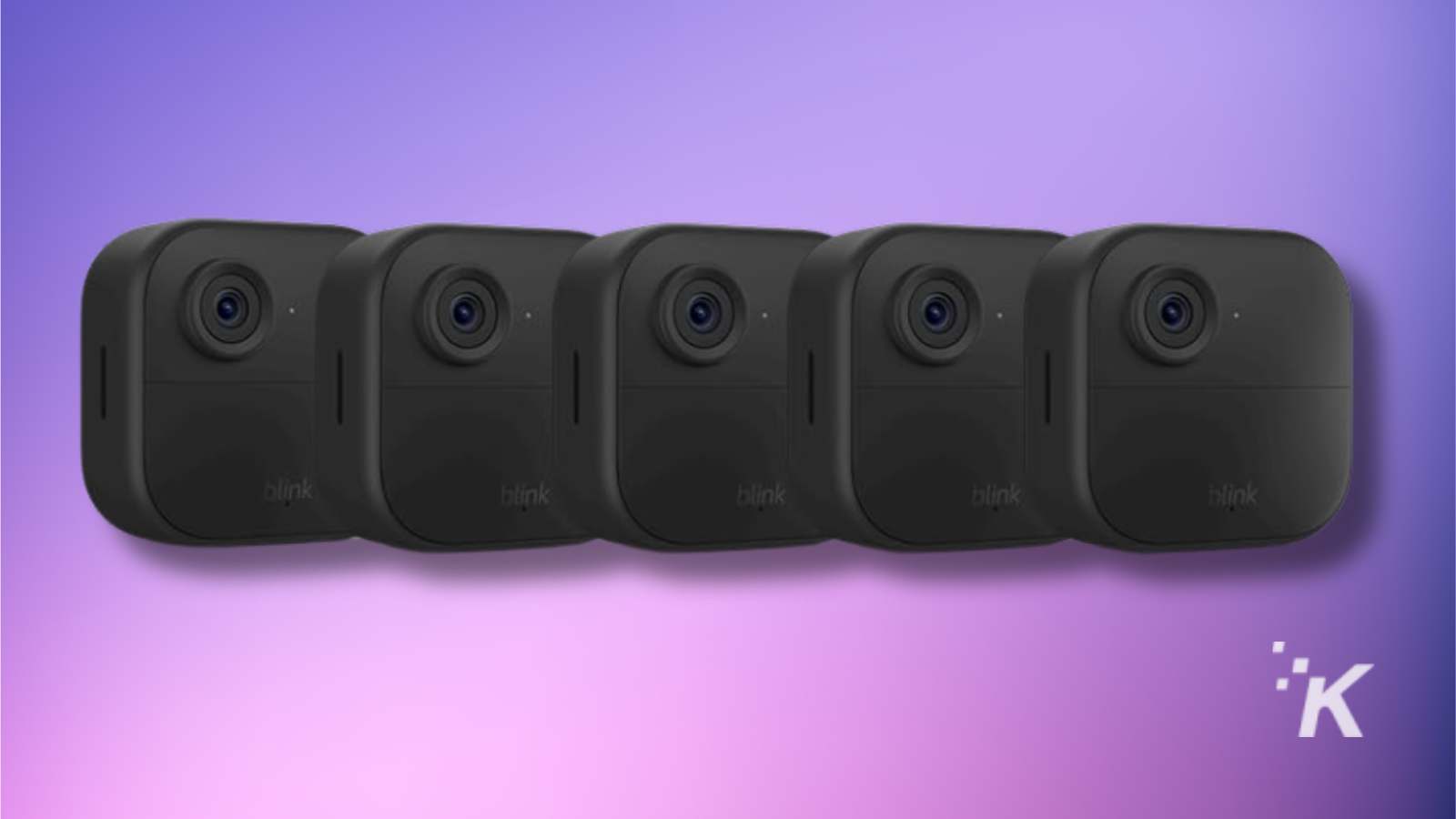
Amazon Blink cameras are battery-powered, intermittently connected devices that communicate through a sync module, a small hub that bridges them to the Blink cloud. The API is REST-based and polling-driven: there is no push channel. Live streaming uses a proprietary IMMI protocol rather than RTSP. HomeKit's camera model is demanding: it expects SRTP video streams, snapshots on demand, and accurate motion events. Blink exposes none of this natively.
Bridging all of it into HomeKit required integrating ffmpeg for live view transcoding, building a polling loop for motion detection that avoids hammering the API, and implementing a caching strategy for snapshots that keeps them available even when the live stream is not.
Architecture
Mapping Blink Cameras to HAP
A single Blink camera accessory in HomeKit is not a simple service. It is a composite of several services layered onto one PlatformAccessory. The exact composition varies by camera model, but a typical outdoor or indoor camera exposes:
CameraController: the HomeKit camera service, handling live view negotiation and snapshot requestsMotionSensor: polled from the Blink API at a configurable intervalBatteryService: battery level and low-battery alert (battery-powered models only)TemperatureSensor: ambient temperature from the camera's onboard sensorSwitch(privacy mode): suppresses snapshots when disarmed, presented as a standalone switch in HomeSwitch(motion enabled): arms or disarms motion detection for the individual cameraSwitch(night vision): toggles IR night visionSwitch(clip recording): momentary switch that triggers a clip recording in the Blink cloud
Each Blink sync module surfaces as a separate SecuritySystem accessory, allowing the user to arm and disarm the entire Blink network for that module directly from Apple Home. The Video Doorbell model adds a Doorbell service, mapping doorbell press events to HomeKit's doorbell notification system. The Siren model maps to a single Switch.
Motion Detection
Blink does not push motion events. The plugin polls the Blink API on a configurable interval (camera-motion-polling-seconds, default 15) and compares the most recent motion event timestamp against the last known timestamp to determine whether new motion has occurred.
The naive implementation of immediately flipping MotionDetected true on a new event and false on the next poll that shows no new event produces rapid toggling when the API is polled frequently. A debounce window addresses this: once motion is detected, it stays reported as active for a minimum hold period before being cleared.
private async pollMotion(): Promise<void> {
  const latestEvent = await this.api.getLatestMotionEvent(this.camera.id)

  if (!latestEvent || latestEvent.timestamp === this.lastMotionTimestamp) {
    // No new motion: check if hold window has elapsed
    if (this.motionActive && Date.now() - this.motionDetectedAt > MOTION_HOLD_MS) {
      this.motionActive = false
      this.motionService
        .getCharacteristic(this.Characteristic.MotionDetected)
        .updateValue(false)
    }
    return
  }

  // New motion event detected
  this.lastMotionTimestamp = latestEvent.timestamp
  this.motionDetectedAt = Date.now()

  if (!this.motionActive) {
    this.motionActive = true
    this.motionService
      .getCharacteristic(this.Characteristic.MotionDetected)
      .updateValue(true)
    this.log.debug(`Motion detected on ${this.camera.name}`)
  }
}
The polling interval is a configuration decision with real trade-offs. At 15 seconds, motion events are surfaced quickly enough to be useful for automations. Going shorter risks hitting Blink's API rate limits across accounts with many cameras. Going longer makes motion-triggered automations feel unresponsive.
Live View: IMMI Streaming via ffmpeg
This is the hardest part of any Homebridge camera plugin, and Blink makes it harder than most. HomeKit streams video using SRTP, a Real-time Transport Protocol variant with mandatory encryption. Blink cameras stream using IMMI, a proprietary Blink protocol. There is no direct bridge between the two.
The solution is ffmpeg. @homebridge/camera-utils handles the HomeKit side of the camera session: HAP negotiation, SRTP key exchange, and session lifecycle. When HomeKit requests a live stream, camera-utils calls the plugin's handleStreamRequest implementation, which spawns an ffmpeg process to pull the IMMI stream and re-emit it as SRTP to the address and port HomeKit specified.
// Simplified ffmpeg invocation for IMMI → SRTP transcoding.
// The IMMI URL and SRTP parameters come from the Blink session and HAP negotiation respectively.
private buildFfmpegArgs(immiUrl: string, session: StreamingSession): string[] {
  return [
    '-re',
    '-i', immiUrl,                        // IMMI stream from Blink
    '-c:v', 'libx264',
    '-preset', 'ultrafast',
    '-tune', 'zerolatency',
    '-profile:v', 'baseline',
    '-level', '3.1',
    '-b:v', `${session.videoBitrate}k`,
    '-bufsize', `${session.videoBitrate * 2}k`,
    '-payload_type', '99',
    '-ssrc', session.videoSSRC.toString(),
    '-f', 'rtp',
    '-srtp_out_suite', 'AES_CM_128_HMAC_SHA1_80',
    '-srtp_out_params', session.videoSRTPKey,
    `srtp://${session.address}:${session.videoPort}?rtcpport=${session.videoPort}`,
  ]
}
A keepalive mechanism holds the IMMI session open for the duration of the HomeKit viewing session. Blink will terminate an idle IMMI session after a short timeout, so the plugin sends periodic keepalive signals while camera-utils reports the session as active.
WARNING
ffmpeg must be available on the host system. The ffmpeg-for-homebridge package provides a bundled binary that works across common architectures, but on Raspberry Pi hardware the per-stream transcoding load is non-trivial. If your host cannot sustain it, set enable-liveview to false in the config; snapshots will still function.
OAuth 2.0 and 2FA
Blink uses OAuth 2.0 with PKCE for authentication. The plugin stores the access token and refresh token in Homebridge's persistent storage and handles token refresh automatically before expiry. This avoids re-authenticating on every Homebridge restart, which matters on low-power hardware where cold authentication adds noticeable latency.
Two-factor authentication on Blink works differently from SmartRent's TOTP approach. Blink sends a one-time PIN to the account's registered email or phone on first login from a new client. The plugin handles this through the pin config field: when present, the PIN is submitted as part of the authentication flow and then the field is cleared from the stored config. Subsequent restarts use the saved OAuth tokens directly, without triggering 2FA again.
Snapshot Strategy
HomeKit requests snapshots on a best-effort basis: for notifications, for the Home app tile view, and when live view is not active. Blink's snapshot endpoint is reliable but not instant, and the plugin does not want every HomeKit snapshot request to wait on a fresh API call.
The solution is a periodic background fetch: every camera-thumbnail-refresh-seconds (default 3600), the plugin requests a fresh thumbnail from Blink and stores it in memory. When HomeKit asks for a snapshot, the cached image is returned immediately. If live view is unavailable and the cache is cold (first startup, or a camera that went offline), the plugin attempts a fresh fetch with backoff before returning whatever it has.
Stale Accessory Cleanup
Blink accounts change over time: cameras get sold, sync modules get removed, networks get reorganized. Homebridge caches accessory registrations across restarts, which means a camera removed from the Blink account can persist as a ghost accessory in Apple Home indefinitely.
On each startup, the plugin compares its registered PlatformAccessory instances against the current device list from the Blink API. Any cached accessory whose device ID no longer appears in the API response is deregistered, removing it cleanly from the Homebridge cache and causing it to disappear from Apple Home on the next Home app refresh.
Blink represents one end of the integration spectrum: a polling-based REST API with no push channel, proprietary streaming, and demanding HomeKit camera requirements. SmartRent represents the other end entirely.
The SmartRent Plugin
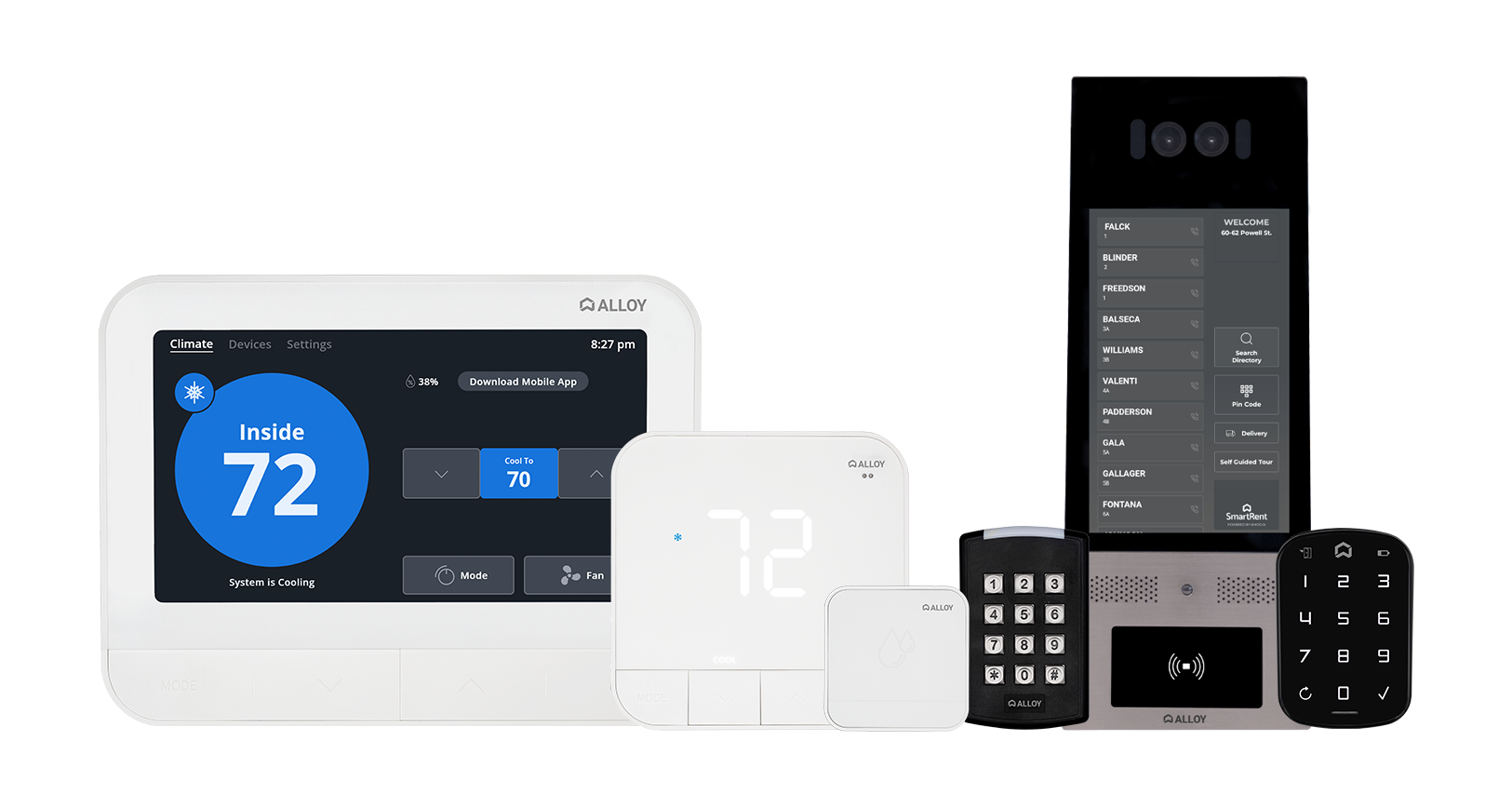
SmartRent is the dominant smart home infrastructure vendor for managed residential properties. Their devices (locks, thermostats, leak sensors, motion sensors, switches, and dimmers) are provisioned by property management and controlled through SmartRent's own app. There is no HomeKit support, and none appears to be planned. The web API is undocumented but has been reverse-engineered by the community; it supports both REST for commands and initial state, and a WebSocket-based real-time channel using the Phoenix protocol for push updates.
The goal for this plugin was complete parity: every device type visible in the SmartRent app controllable and observable in Apple Home, with state that reflects reality in real time.
Architecture
On initialization, the platform authenticates against the SmartRent REST API, fetches the full device list for the configured unit, and creates a PlatformAccessory for each device. It then opens a persistent WebSocket connection using the Phoenix protocol, subscribes to the device state channels, and routes incoming events to the appropriate accessory instances. REST is used for initial state hydration and for issuing commands; the WebSocket carries all state changes back.
Mapping Devices to HAP Services
The mapping between SmartRent device types and HAP services is generally one-to-one, with a few cases that require more care.
| SmartRent device | HAP services |
|---|---|
| Lock | LockMechanism, Battery |
| Thermostat | Thermostat, Fan |
| Leak sensor | LeakSensor, Battery |
| Motion sensor | MotionSensor |
| Switch | Switch |
| Dimmer | Lightbulb (with Brightness) |
Every accessory also carries the StatusActive characteristic, which reflects whether the device is reporting as online through the SmartRent API. An offline device surfaces as inactive in Apple Home rather than presenting stale or incorrect state.
The thermostat required the most attention. The naive approach is to map SmartRent's target heating/cooling mode directly to CurrentHeatingCoolingState. The problem is that the current mode in Apple Home is supposed to reflect what the system is actually doing (actively heating, actively cooling, or idle), not just what mode it has been set to. A thermostat in "auto" mode that happens to be idle should report OFF for the current state, not AUTO. SmartRent provides a separate operating state field for this, and using it correctly requires reading two separate API fields rather than one.
// Resolving CurrentHeatingCoolingState from operating state, not target mode.
// SmartRent returns both 'hvac_mode' (target) and 'operating_state' (actual).
private resolveCurrentState(device: SmartRentDevice): CharacteristicValue {
  const { operating_state } = device.attributes

  switch (operating_state) {
    case 'heating':
      return this.Characteristic.CurrentHeatingCoolingState.HEAT
    case 'cooling':
      return this.Characteristic.CurrentHeatingCoolingState.COOL
    default:
      // idle, fan_only, off: all map to OFF in the current state
      return this.Characteristic.CurrentHeatingCoolingState.OFF
  }
}

// Binding the characteristic with both a getter and an update path
this.thermostatService
  .getCharacteristic(this.Characteristic.CurrentHeatingCoolingState)
  .onGet(() => this.resolveCurrentState(this.device))
Lock jam detection is handled differently from the other state updates. SmartRent surfaces jams through a notification event rather than a standard device state field. The WebSocket handler watches for notification events on the lock channel and maps them to the ObstructionDetected characteristic, which is what HomeKit uses to signal a jam condition to the user.
Real-Time Updates via Phoenix WebSocket
Polling for lock state is a bad experience. If someone uses a physical key or the SmartRent app to lock or unlock a door, Apple Home should reflect that within a second or two, not on the next polling interval. The Phoenix WebSocket channel makes this possible.
Phoenix is a real-time framework from the Elixir ecosystem with a well-specified client protocol. The plugin implements the client-side handshake: a join message to subscribe to each device's channel, a heartbeat ping every 30 seconds to keep the connection alive, and a reconnection strategy if the socket drops.
// Handling a lock state event pushed from the Phoenix channel
private onDeviceEvent(event: PhoenixEvent): void {
  if (event.event !== 'AttributeState') return

  const { name, last_read_state } = event.payload

  if (name === 'locked') {
    const isLocked = last_read_state === 'true'
    const currentState = isLocked
      ? this.Characteristic.LockCurrentState.SECURED
      : this.Characteristic.LockCurrentState.UNSECURED

    // updateValue pushes the new state to HomeKit immediately
    this.lockService
      .getCharacteristic(this.Characteristic.LockCurrentState)
      .updateValue(currentState)

    this.log.debug(`Lock ${this.device.id}: ${isLocked ? 'locked' : 'unlocked'}`)
  }
}
The persistent connection means that all registered accessories receive real-time updates for no additional cost per device. Whether the unit has one lock or six, the event fan-out happens in a single socket connection.
Authentication and 2FA
SmartRent accounts can be secured with TOTP-based two-factor authentication. The plugin handles this through the tfaSecret configuration field, which holds the 32-character seed that the authenticator app was initialized with. On each login, otplib generates a current TOTP code from that seed and includes it in the authentication request.
NOTE
The tfaSecret is the TOTP seed (the shared secret your authenticator app uses), not a one-time code. If you scan a QR code when setting up 2FA, the string encoded in that QR code is the value that goes here.
Storing credentials in the Homebridge config file is an acknowledged trade-off across the entire Homebridge plugin ecosystem. The config is stored locally on the host machine, typically readable only by the user running Homebridge. It is a reasonable posture for a homelab setup, though something to be aware of before using the plugin on shared infrastructure.
Configuration Reference
The plugin exposes configuration through config.schema.json, which the Homebridge UI uses to render a settings form. The core options:
| Field | Default | Purpose |
|---|---|---|
email | required | SmartRent account email |
password | required | SmartRent account password |
tfaSecret | — | TOTP seed for 2FA-enabled accounts |
unitName | — | Unit disambiguator for multi-unit accounts |
enableLocks | true | Include lock accessories |
enableThermostats | true | Include thermostat accessories |
enableLeakSensors | true | Include leak sensor accessories |
enableMotionSensors | true | Include motion sensor accessories |
enableSwitches | true | Include switch accessories |
enableSwitchMultiLevels | true | Include dimmer accessories |
enableAutoLock | false | Re-lock after configurable delay |
autoLockDelayInMinutes | 5 | Auto-lock delay (1–1440 min) |
lowBatteryThreshold | 20 | Low battery alert level (5–50%) |
lockPollingInterval | 10 | Lock state poll interval in seconds |
excludeDevices | [] | Device IDs to omit from HomeKit |
SmartRent represents the other end of the integration spectrum: a real-time push channel, a rich multi-device model, and relatively straightforward characteristic mapping once the WebSocket protocol is understood.
Patterns That Carried Across Both
The two plugins operate against fundamentally different APIs: one push-based with a WebSocket and one polling-based via REST, one using TOTP 2FA and one using OAuth 2.0 with PKCE. Despite that, the structural patterns are largely the same.
Both are TypeScript platform plugins organized into src/accessories, src/devices, and src/lib directories. The accessory layer speaks HAP; the devices layer speaks the third-party API; the lib layer provides utilities, API clients, and authentication. config.schema.json drives the Homebridge UI config form in both cases, with the same pattern of per-device-type enable/disable flags that let users narrow the accessory set to what they actually want in Apple Home. Both expose StatusActive on every accessory so that offline devices are visible as inactive rather than silently wrong. Both expose verboseLogging and debug config flags for troubleshooting without code changes.
The platform plugin pattern proved well-suited to both. Dynamic device discovery, clean startup and shutdown lifecycle, and the ability to deregister stale accessories are all first-class concerns in the platform plugin API, and both plugins rely on them.
Lessons Learned
1. HAP Characteristic Semantics Are Strict
HomeKit silently ignores characteristic updates that fall outside the declared range or use an invalid enum value. This is not an error you will see in logs; the update simply has no effect. Both plugins guard every updateValue call with explicit clamping and validation. For the thermostat, this means ensuring that operating state values from the SmartRent API are always mapped to a valid CurrentHeatingCoolingState enum, never passed through raw.
2. Polling Interval Is a Product Decision
There is no universal right answer for how frequently to poll a third-party API. Too aggressive and you risk rate limiting, particularly with Blink, where multiple cameras polling independently compound quickly. Too conservative and motion events or state changes feel stale in Apple Home. Both plugins surface their polling intervals as configuration rather than hardcoding them, which puts the trade-off in the hands of the user who knows their hardware constraints and tolerance for latency.
3. Authentication Persistence Matters More Than Expected
Homebridge on a Raspberry Pi restarts more often than you might expect: after system updates, after power interruptions, during plugin upgrades. If a plugin authenticates from scratch on every startup, that adds seconds of latency before any accessory state is correct, and on platforms with aggressive re-authentication policies it risks triggering lockouts. Both plugins invest in session persistence: the SmartRent plugin caches its access token across sessions, and the Blink plugin stores OAuth tokens in Homebridge's persistent storage with automatic refresh.
4. ffmpeg on Embedded Hardware Is a Real Constraint
Live view transcoding is expensive. On a modern x86 machine, an ffmpeg process handling a single Blink camera IMMI stream is barely measurable. On a Raspberry Pi 4, three concurrent live view sessions will saturate a core. The enable-liveview config flag exists precisely because this hardware reality varies. Snapshots are comparatively cheap and continue to function regardless, so users on constrained hardware get a usable experience even without live view.
Conclusion
The Homebridge plugin model is a remarkably effective abstraction for homelab integration work. The HAP surface is well-specified, the platform plugin lifecycle covers the common operational patterns, and the community around it is active enough that most third-party APIs have at least some prior exploration to build from. The constraint it imposes, that you are responsible for translating your platform's data model into HAP's, is exactly the right constraint. The protocol details are handled; the integration logic is yours to own.
Both plugins are Homebridge-verified and available to install from the Homebridge plugin registry. Source and configuration documentation are on GitHub: